Showing 1,093-1,100 of 1,113 results

7 Powerful Ways Smartwriter AI Can Instantly Boost Your Outreach

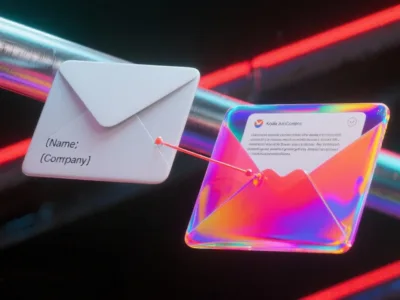
In a world flooded with generic emails, personalisation is no longer a tactic—it's a necessity. Low reply rates and ignored messages are the direct results of a one-size-fits-all approach, a problem that tools like <b>Smartwriter AI</b> are designed to solve. This powerful assistant helps you scale your outreach without sacrificing the personal touch that actually gets replies. This article explores the seven key features of this tool and how they can be used to break through the noise, build genuine connections, and ultimately, drive conversions. This is the exact problem that a new generation of AI tools aims to solve. After extensive testing, we're taking a deep dive into one of the most promising platforms in this space: <b>Smartwriter AI</b>. This article explores the seven key features of this tool and how they can be used to break through the noise, build genuine connections, and ultimately, drive conversions. <img class="size-medium wp-image-5461 aligncenter" src="https://aitoolshive.com/wp-content/uploads/2023/08/envato-labs-ai-57416e0a-90b5-4405-8a4b-7a121d2864cd-1-300x169.webp" alt="An illustration contrasting a generic email with a highly personalized email, highlighting the effectiveness of Smartwriter AI's targeted outreach." width="300" height="169" /> <hr />   <h2>What is Smartwriter AI?</h2>   <b>Smartwriter AI</b> is an AI-powered writing assistant that specialises in creating hyper-personalised content for sales and marketing outreach. Unlike more generalist AI writers, its core strength lies in its ability to analyse a prospect's online presence—from their LinkedIn profile and recent blog posts to their company's news—and generate unique, relevant "icebreakers" and messages. Using advanced Natural Language Processing (NLP) and Machine Learning (ML), it moves beyond simple <code>[First Name]</code> and <code>[Company Name]</code> tokens to create outreach that feels genuinely one-to-one, even when you're contacting hundreds of people.   <h2>7 Key Features of Smartwriter AI We Tested</h2>   Here’s a breakdown of the features we found most impactful during our review.   <h3>1. Hyper-Personalised Icebreakers for Email</h3>   <img class="size-medium wp-image-5463 alignright" src="https://aitoolshive.com/wp-content/uploads/2023/08/envato-labs-ai-46a2b8b7-02b4-49a7-b865-ca0edaf58ecc-1-300x171.webp" alt="Smartwriter AI generating personalized email icebreakers based on prospect data, showcasing its core outreach feature." width="300" height="171" />This is the platform's flagship feature. You can upload a list of prospects (via CSV or CRM integration), and <b>Smartwriter AI</b> scours the internet for real-time data on each person. It then generates personalized lines based on: <ul> <li><b>LinkedIn Profile:</b> Recent posts, accomplishments, or job descriptions.</li> <li><b>Company Data:</b> Recent funding rounds, case studies, or news mentions.</li> <li><b>Personal Blogs:</b> Comments on a recent article they've written.</li> </ul> We found this feature dramatically reduces the time spent on manual research, turning a multi-hour task into a matter of minutes. For anyone serious about improving their cold email performance, this is a must-have. You can learn more in <code>[our guide to effective cold emailing]</code>.   <h3>2. Automated & Personalised LinkedIn Outreach</h3> <img class="size-medium wp-image-5465 alignright" src="https://aitoolshive.com/wp-content/uploads/2023/08/envato-labs-ai-236af375-9a54-4cb9-a01f-c4569dcea3f9-1-300x171.webp" alt="Smartwriter AI creating a personalized LinkedIn connection request message based on a prospect's profile." width="300" height="171" /> The platform extends its personalisation engine to LinkedIn. It can generate unique connection requests and messages that reference a prospect's specific profile information. This is far more effective than the generic "I'd like to connect" message and significantly increases acceptance rates.   <h3>3. A Unique Angle: AI for Backlink Building</h3> <img class="size-medium wp-image-5467 alignright" src="https://aitoolshive.com/wp-content/uploads/2023/08/envato-labs-ai-b30c03ad-386d-42fc-b4e2-4ccd9b73fe06-1-300x164.webp" alt="An AI-generated personalized email complimenting a blog post for backlink outreach, demonstrating Smartwriter's SEO utility." width="300" height="164" /> This feature caught our attention. Smartwriter has a dedicated function for SEO outreach. It analyses a target blog post and generates a personalised email complimenting the author on a specific point in their article. This "give a compliment" approach is a well-known, effective strategy for building relationships for link-building, and the tool automates it beautifully.   <h3>4. Broader AI Content Generation</h3>   While its strength is outreach, <b>Smartwriter AI</b> also includes tools for creating long-form content. It can generate blog titles, outlines, and full paragraphs, similar to other AI writers. This makes it a versatile tool for marketers who handle both outreach and content creation.   <h3>5. Smart Social Media Engagement</h3>   To further build relationships, the tool can generate insightful and relevant comments for a prospect's social media posts. This helps you stay on their radar in a way that feels authentic, not robotic.   <h3>6. Built-in Quality and Originality Checks</h3> <img class="size-medium wp-image-5468 alignright" src="https://aitoolshive.com/wp-content/uploads/2023/08/envato-labs-ai-638af5d1-4b60-4c75-ad31-81acbb59bc68-300x164.webp" alt="Smartwriter AI's built-in plagiarism and grammar checker ensuring high-quality and original content." width="300" height="164" /> To ensure the generated content is high-quality, Smartwriter includes a plagiarism checker and a grammar checker. This is a crucial step that gives users confidence that the AI-generated text is unique and professional before it's sent out.   <h3>7. Seamless Integrations with Your Workflow</h3>   Smartwriter connects with popular sales and marketing platforms like HubSpot, Salesforce, and Lemlist. This allows you to pull in lead lists and push personalized messages directly into your existing outreach sequences without manual data entry. You can explore similar tools in our <a href="http://aitoolshive.com/"><b>[AI Sales Tools]</b></a> category.   <h2>Our Final Verdict: Is Smartwriter AI Worth the Investment?</h2>   After a thorough review, our conclusion is clear: if your primary goal is to improve the quality and effectiveness of your cold outreach, <b>Smartwriter AI</b> is a fantastic investment. While other tools offer broader content creation features, Smartwriter’s deep focus on data-driven personalisation for sales and marketing is its key differentiator. For sales teams, SEO agencies, and marketers who are tired of getting ignored, this tool offers a scalable way to create the kind of personalized communication that actually gets a response. According to industry data from outlets like <a class="ng-star-inserted" href="https://www.google.com/search?q=https://www.hubspot.com/sales-hub&authuser=1" target="_blank" rel="noopener" data-hveid="78">HubSpot</a>, personalised emails consistently outperform generic ones. If you're ready to stop blasting templates and start building connections, we highly recommend checking out the <a class="ng-star-inserted" href="https://www.smartwriter.ai/" target="_blank" rel="noopener" data-hveid="79">official Smartwriter.ai website</a> to see how it can fit into your workflow. <span style="font-weight: 400">Also, you could browse more <a href="https://aitoolshive.com/aitool-category/social-listening/">services</a> on our website <a href="https://aitoolshive.com/aitool-category/social-listening/">AI Tools Hive</a>. </span>

Phrasee

Phrasee is an AI-powered language optimization tool that helps marketers improve their email marketing campaigns. Phrasee uses natural language processing (NLP) and machine learning (ML) to generate and optimise email subject lines, headlines, body copy, and call-to-actions that increase open rates, click-through rates, and conversions. Phrasee also provides users with analytics and reports on their email performance and ROI. Phrasee’s pricing is based on a custom quote.

5 Effortless Ways the GrowthBar SEO Tool Simplifies Your Workflow

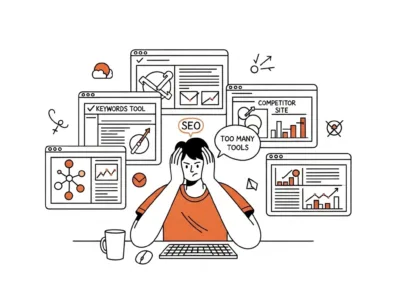
Honestly, SEO can feel like a guessing game played across a dozen different browser tabs. You've got one for keyword research, another for checking backlinks, and a third for spying on competitors. We’ve all been there. That constant juggling is what leads many marketers to look for a simpler, all-in-one solution. That's why we decided to review the <b>GrowthBar SEO tool</b>. What if you could combine all those essential tasks into one place, powered by AI that actually helps instead of just getting in the way? That’s the promise of GrowthBar. After putting it through its paces, we can tell you it’s less of a complex dashboard and more like a smart SEO assistant that lives right in your browser. This article isn't just a list of features; it's a look at the five key ways GrowthBar can genuinely simplify your content workflow.   <h2>What <i>Really</i> is GrowthBar?</h2> <img class="alignright wp-image-5452 size-medium" src="https://aitoolshive.com/wp-content/uploads/2023/08/envato-labs-ai-b60aee3b-ef0b-496a-be77-7f958e95f456-300x164.webp" alt="GrowthBar SEO Tool " width="300" height="164" />   In short, GrowthBar is an AI-powered tool designed for bloggers, marketers, and entrepreneurs who need to get SEO results without a PhD in data science. It rolls keyword research, competitor analysis, rank tracking, and AI content creation into one package. Think of it as the Swiss Army knife for your content strategy. The best part? It has a Chrome Extension that brings all this data directly to your search results page, so the insights come to you, not the other way around.   <h2>5 Ways the GrowthBar SEO Tool Can Change Your Workflow</h2>   Here are the tangible ways this tool can make a difference for your team.   <h3>1. It Kills the "Blank Page" with AI Content Outlines</h3> <em><img class="size-medium wp-image-5454 alignright" style="margin-top: 2rem" src="https://aitoolshive.com/wp-content/uploads/2023/08/envato-labs-ai-503a3ddd-f9a3-45cd-836f-24e29c7c6b9e-1-300x164.webp" alt="An AI generating a content outline with headings and keywords, illustrating GrowthBar's content planning feature." width="300" height="164" /></em> The dreaded "blank page" is a familiar challenge for every content creator. For our team, this is where the <b>GrowthBar SEO tool</b> shines brightest. You can enter a target keyword, and its AI generates a complete content outline in seconds. It pulls in: <ul> <li>Suggested headings (Heading 2, Heading 3)</li> <li>Keywords to include</li> <li>Optimal word count</li> <li>Questions people are asking online</li> </ul> This doesn't write the article for you, but it builds the entire skeleton. It turns an hour of frustrating research into a 30-second task, letting your team focus on what matters: writing great content. If you're new to this, it pairs perfectly with <code>[your complete content marketing strategy guide]</code>. <em>You would also like to see <a href="https://aitoolshive.com/aitool-category/ai-assistant/">AI Assistant</a> and, <a href="https://aitoolshive.com/aitool-category/copywriting-ai/">Copywriting AI</a> tools. </em> <h3>2. Keyword Research That Doesn't Require a Manual</h3>   Some SEO tools feel like you need a certification to use them. GrowthBar’s keyword research is the opposite. It’s intuitive. You type in a keyword and get everything you need on one clean screen: search volume, CPC data, and a keyword difficulty score that’s easy to understand. But the real gold is the "Competitors and Keywords" tab. It instantly shows you which keywords your rivals are ranking for, unearthing long-tail opportunities your team might have otherwise missed.   <h3>3. Spying on Competitors (Ethically, of Course)</h3> <img class="size-medium wp-image-5455 alignright" src="https://aitoolshive.com/wp-content/uploads/2023/08/envato-labs-ai-0c2d3f89-0769-431d-87b5-600db0a8e296-300x171.webp" alt="A GrowthBar Chrome extension overlaying SEO metrics on a competitor's website, demonstrating real-time analysis." width="300" height="171" /> The Chrome Extension is where the magic happens. Go to any competitor's website, and GrowthBar overlays key SEO metrics right on the page. You can see their Domain Authority (a key metric from SEO giant <a class="ng-star-inserted" href="https://moz.com/learn/seo/domain-authority" target="_blank" rel="noopener" data-hveid="0" data-ved="0CAAQ_4QMahgKEwj3xJK7w5uQAxUAAAAAHQAAAAAQhwE">Moz</a> - DoFollow Link), the keywords they rank for, their backlink profile, and even their Facebook Ads. It’s like having SEO x-ray vision, and it’s incredibly powerful for understanding what’s working for others in your niche.   <h3>4. The On-Page SEO Coach Every Team Needs</h3>   Once you've used the AI to create an outline, the Content Editor helps you finish the job. As you write, a sidebar provides a real-time SEO score and a checklist. It tracks your word count, keyword usage, readability, and heading structure. This feature feels less like a tool and more like having an SEO expert looking over your shoulder, gently reminding you to add your target keyword to an H2 or improve your readability. For a deep dive into these concepts, check out <code>[your definitive guide to on-page SEO]</code>.   <h3>5. Rank Tracking That's Actually Easy to Read<img class="size-medium wp-image-5458 alignright" src="https://aitoolshive.com/wp-content/uploads/2023/08/envato-labs-ai-d195c147-bd9a-4c49-9de9-8556f4eee8f3-1-300x171.webp" alt="A GrowthBar dashboard showing a clear graph of keyword rank tracking and performance over time." width="300" height="171" /></h3>   What's the point of all this work if you can't see the results? GrowthBar’s rank tracking is simple and effective. You plug in your domain and your target keywords, and it gives you a clean chart showing your position in Google's search results over time. There are no overly complex charts or vanity metrics—just the data you need to know if your strategy is working.   <h2>Our Final Verdict: Is the GrowthBar SEO Tool Worth It?</h2>   After a thorough review, our answer is a resounding yes—<i>for the right person</i>. You might still need your enterprise-level tools if you are a professional SEO analyst at a massive agency. But if you are a blogger, a startup founder, a content marketer, or a small business owner who wears many hats, the <b>GrowthBar SEO tool</b> is a fantastic investment. It replaces 3-4 other subscriptions with one affordable, easy-to-use platform. Ultimately, the <b>GrowthBar SEO tool</b> simplifies the most tedious parts of SEO and content creation, allowing your team to move faster and focus on quality. If you’re tired of the complexity and just want a tool that helps you rank, we highly recommend checking out the <a class="ng-star-inserted" href="https://www.growthbarseo.com/" target="_blank" rel="noopener" data-hveid="0" data-ved="0CAAQ_4QMahgKEwj3xJK7w5uQAxUAAAAAHQAAAAAQiAE">official GrowthBar website</a> and trying their free trial. If you’re tired of the complexity and just want a tool that helps you rank, we highly recommend checking out the official GrowthBar website and trying their free trial. To simply compare it with other options, you can browse more <a href="https://aitoolshive.com/aitool-category/social-listening/">AI services</a> on our website, <a href="https://aitoolshive.com/aitool-category/social-listening/">AI Tools Hive</a>.

Rephrase AI: Impress Your Office With Alluring Video Quality In 3 Easy Steps!

<span style="font-weight: 400">Rephrase AI is a tool that turns text into videos. It uses smart technology to quickly create videos with digital characters that look professional. And it only takes a few minutes to do it. Many businesses and individuals like to use it because it helps them make fun and educational movies without needing expensive equipment or video production skills.</span> <h2>What does Rephrase AI offer?</h2> <span style="font-weight: 400">Rephrase AI offers a variety of features that make it easy to create high-quality videos, including:</span> <h2><img class="size-medium wp-image-3068 alignleft" src="https://aitoolshive.com/wp-content/uploads/2023/08/rephrase-ai-text-to-video-generative-ai-ai-tools-hive-aitoolshive-2-300x225.webp" alt="rephrase ai text to video generative ai ai tools hive aitoolshive.com" width="300" height="225" /></h2> <ol> <li style="font-weight: 400"><span style="font-weight: 400">Digital avatars: A large collection of scanned pictures of people's faces in different styles. Rephrase AI has a collection of over a hundred different digital avatars. Users can pick the avatar they want to use in their movies. You can also create custom avatars that match the appearance or brand of your organisation.</span></li> <li style="font-weight: 400"><span style="font-weight: 400">A variety of video templates:  There are different types of video formats, such as: People who use Rephrase AI can choose from different video designs to help them create their own unique movies. These templates are easy to use and can be changed to fit what each user wants.</span></li> <li style="font-weight: 400"><span style="font-weight: 400">AI-powered video editing: It offers video editing tools that use AI to make it simple to create professional-looking videos. Adding music, text, and other elements to your uploaded videos is easy.</span></li> <li style="font-weight: 400"><span style="font-weight: 400">Real-time video generation: Rephrase AI enables you to skip the waiting time for video rendering. It generates videos in real time, eliminating the need to wait for rendering. Due to this, it is very easy to create videos that are fast and current.</span></li> </ol> <h2>How you could be a step ahead with Rephrase AI</h2> <span style="font-weight: 400">Rephrase.ai can be used for a variety of purposes, including:</span> <h2><img class="size-medium wp-image-3069 alignright" src="https://aitoolshive.com/wp-content/uploads/2023/08/rephrase-ai-text-to-video-generative-ai-ai-tools-hive-aitoolshive-3-300x225.webp" alt="rephrase ai text to video generative ai ai tools hive aitoolshive.com" width="300" height="225" /></h2> <ol> <li style="font-weight: 400"><span style="font-weight: 400">Marketing: You can use AI to create marketing videos that are interesting and helpful for your products or services. This can be done by using AI to create the movies.</span></li> <li style="font-weight: 400"><span style="font-weight: 400">Education: AI can be used to make educational videos that teachers or students can watch and learn from.</span></li> <li style="font-weight: 400"><span style="font-weight: 400">Internal communications: Using Rephrase.ai, you can make videos for your company's internal communications. These videos can be used for training or announcements and can be shared with your staff as part of your internal communications.</span></li> <li style="font-weight: 400"><span style="font-weight: 400">Customer support: With Rephrase.ai, you can create videos for customer support. These videos will show how to use your products or services and provide answers to frequently asked questions (FAQs). You can put these videos on your website.</span></li> </ol> <p style="padding-left: 40px"><em>Also check out: <a href="https://aitoolshive.com/aitool-category/text-to-image/">Text to Image AI</a> (Generative AI), <a href="https://aitoolshive.com/aitool-category/copywriting-ai">Copywriting AI</a> and many more at <a href="https://aitoolshive.com/">Home -</a> <a href="https://aitoolshive.com/">AI Tools Hive</a></em></p> <h3>Advantages of using generative Text to Video AI Tools</h3> <span style="font-weight: 400">Rephrase.ai offers a number of benefits for users, including:</span> <h2><img class="size-medium wp-image-3070 alignleft" src="https://aitoolshive.com/wp-content/uploads/2023/08/rephrase-ai-text-to-video-generative-ai-ai-tools-hive-aitoolshive-4-300x225.webp" alt="rephrase ai text to video generative ai ai tools hive aitoolshive.com" width="300" height="225" /></h2> <ol> <li style="font-weight: 400"><span style="font-weight: 400">Save time and money: Using Rephrase.ai can help you save time and money when making videos. It eliminates the need for expensive equipment and expert knowledge, which reduces the demand for these things.</span></li> <li style="font-weight: 400"><span style="font-weight: 400">Create high-quality videos: Even if you don't know anything about making videos, Rephrase.ai makes it easy to create movies that look like they were made by experts and give the impression that professionals produced them.</span></li> <li style="font-weight: 400"><span style="font-weight: 400">Increase engagement: You'll have the ability to communicate with a considerably bigger number of people if you use Rephrase.ai to generate videos since those videos can be translated into several languages.</span></li> <li style="font-weight: 400"><span style="font-weight: 400">Reach a wider audience: Rephrase.ai videos can be translated into multiple languages, which allows you to reach a wider audience.</span></li> </ol> <span style="font-weight: 400">The Rephrase.ai platform is a useful tool that can turn text into videos. It can be used for many different things. This software helps companies and individuals make movies that are both fun and educational. They don't need expensive equipment or experience in video creation because they have a great option available to them.</span> <span style="font-weight: 400">Here are some specific examples of how Rephrase.ai is being used today:</span> <h2><img class="size-medium wp-image-3071 alignright" src="https://aitoolshive.com/wp-content/uploads/2023/08/rephrase-ai-text-to-video-generative-ai-ai-tools-hive-aitoolshive-5-300x225.webp" alt="rephrase ai text to video generative ai ai tools hive aitoolshive.com" width="300" height="225" /></h2> <ol> <li style="font-weight: 400"><span style="font-weight: 400">A company that makes computer programs is using Rephrase.ai to create videos that show how their products work and explain them to their customers.</span></li> <li style="font-weight: 400"><span style="font-weight: 400">A marketing company uses Rephrase.ai to create social media videos and commercials for the businesses it represents on behalf of its clients.</span></li> <li style="font-weight: 400"><span style="font-weight: 400">The university is using Rephrase.ai to make educational videos for its students. </span></li> <li style="font-weight: 400"><span style="font-weight: 400">The customer service team at a company is using Rephrase.ai to create videos that answer the most frequently asked questions from customers.</span></li> </ol> <span style="font-weight: 400">If you want to make videos that are fun to watch and have useful information, but you don't have expensive equipment or video production skills, you should consider using <a href="http://rephrase.ai">Rephrase AI</a>. It's a great idea to think about. Still, you can check more of <a href="https://aitoolshive.com/aitool-category/text-to-video/">Text To Video</a> (Generative AI) Tools on our website <a href="https://aitoolshive.com/">AI Tools Hive</a>.</span>

FineShare FineCam: 7 Remarkable Features For Infinite Video Possibilities

<span style="font-weight: 400">Users of the FineShare's FineCam software can create professional-looking videos without expensive equipment. Itis a program that works like a pretend camera. It lets people do things with it. Many people from different industries use this platform, including online education, video calls, and live streaming.</span> <h2>Level up your professionalism with FineShare FineCam</h2> <span style="font-weight: 400">Here are some of the key features of FineCam:</span> <span style="font-weight: 400"><img class="size-medium wp-image-3074 alignleft" src="https://aitoolshive.com/wp-content/uploads/2023/08/fineshare-finecam-ai-video-editing-ai-ai-tools-hive-aitoolshive-1-300x225.webp" alt="fineshare finecam ai video editing ai ai tools hive aitoolshive.com" width="300" height="225" /></span> <ol> <li style="font-weight: 400"><span style="font-weight: 400">Use your phone as a webcam: You can use your phone as a camera by downloading the FineCam App. It takes professional grade shots and make your media look professional. This app lets you use your phone instead of a regular webcam. This is a great option to think about if you don't have a webcam or if you want to use a better camera than the one in your laptop. Both of these situations are valid reasons to think about buying this item.</span></li> <li style="font-weight: 400"><span style="font-weight: 400">Real-time AI background removal: Getting rid of unnecessary stuff in the background using artificial intelligence right away. With the app, you can easily and quickly remove the background from your photos in real-time. Because of this, you don't need to pay attention to the people or things near you when you do live streaming or video chats. You can fully concentrate on yourself.</span></li> <li style="font-weight: 400"><span style="font-weight: 400">Virtual backgrounds: You can choose from many different virtual backgrounds. These backgrounds can be added to the films you make with the software. With this great strategy, you can create a professional atmosphere for your calls and broadcasts.</span></li> <li style="font-weight: 400"><span style="font-weight: 400">Screen sharing: When you are in a live stream or video chat with others, It lets you show them what's on your screen. This way, they can see exactly what you see. This is a great way to share information with a group of people and collaborate on projects with others.<img class="size-medium wp-image-3076 alignright" src="https://aitoolshive.com/wp-content/uploads/2023/08/fineshare-finecam-ai-video-editing-ai-ai-tools-hive-aitoolshive-4-300x225.webp" alt="fineshare finecam ai video editing ai ai tools hive aitoolshive.com" width="300" height="225" /></span></li> <li style="font-weight: 400"><span style="font-weight: 400">Recording: With FineCam's recording features, you can easily save your live broadcasts and video calls. This is a great way to either store information for later or share it with others. You can use this method for both of these purposes.</span></li> </ol> <span style="font-weight: 400">FineCam is a software that acts like a camera. It is well-known for being very capable and versatile, which means it can be used for many different things. This is a great solution for people who want to create movies that look professional without spending a lot of money on equipment.</span> <h2>Could it be worth it? Try out yourself!</h2> <h4><span style="font-weight: 400">Here are some of the benefits of using FineCam:</span></h4> <span style="font-weight: 400"><img class="size-medium wp-image-3075 alignleft" src="https://aitoolshive.com/wp-content/uploads/2023/08/fineshare-finecam-ai-video-editing-ai-ai-tools-hive-aitoolshive-2-300x225.webp" alt="fineshare finecam ai video editing ai ai tools hive aitoolshive.com" width="300" height="225" /></span> <ol> <li style="font-weight: 400"><span style="font-weight: 400">Improved video quality: It can make your videos better by letting you use your phone's camera as a webcam and getting rid of your background while you're recording. You can use the app to access both of these features. With FineCam, you can use your phone's camera instead of a regular webcam on your computer to record videos.</span></li> <li style="font-weight: 400"><span style="font-weight: 400">More professional appearance: It can help you create a better look for your video chats and live streams. It offers virtual backgrounds and lets you share your screen. You can use this help during these sessions.</span></li> <li style="font-weight: 400"><span style="font-weight: 400">Increased engagement: It can assist you in achieving your goal of connecting better with your audience by helping you create films that are more visually appealing and captivating. It helps you create movies that look better and are more fun.<img class="size-medium wp-image-3077 alignright" src="https://aitoolshive.com/wp-content/uploads/2023/08/fineshare-finecam-ai-video-editing-ai-ai-tools-hive-aitoolshive-5-300x225.webp" alt="fineshare finecam ai video editing ai ai tools hive aitoolshive.com" width="300" height="225" /></span></li> <li style="font-weight: 400"><span style="font-weight: 400">Improved productivity: It can make the process of creating and sharing films for online training, video conferencing, and live streaming much easier. It can help you be more productive. This might help you accomplish more in less time.</span></li> </ol> <span style="font-weight: 400"><a href="https://www.fineshare.com/finecam/">FineShare's FineCam</a> is a great choice for anyone who wants to make professional-looking videos without spending a lot of money. It allows you to create films like this easily. This software is very good and can be used for many different things with a virtual camera. Moreover, it provides many benefits and comforts to those who use it. You can check out many more <a href="https://aitoolshive.com/aitool-category/video-editing/">Video Editing AI</a> Tools, <a href="https://aitoolshive.com/aitool-category/text-to-video/">Text To Video</a> AI Tools, <a href="https://aitoolshive.com/aitool-category/video-analytics/">Video Analytics</a> and a lot more on our website <a href="https://aitoolshive.com/">AI Tools Hive</a>. </span>

HubSpot AI: 85% Marketers Agree On Astonishing Growth

<span style="font-weight: 400">The HubSpot CRM platform has a bunch of artificial intelligence (AI) features, which are all called HubSpot AI. Using these tools can help organizations automate tasks, increase productivity, and make better decisions.</span> <h2>Customer Relation Management with Hubspot AI</h2> <h4><span style="font-weight: 400">HubSpot AI offers a variety of features, including:</span></h4> <span style="font-weight: 400"><img class="size-medium wp-image-3174 alignleft" src="https://aitoolshive.com/wp-content/uploads/2023/08/hubspot-ai-customer-relationship-management-crm-ai-ai-tools-hive-aitoolshive-1-300x225.webp" alt="hubspot ai customer relationship management crm ai ai tools hive aitoolshive (1)" width="300" height="225" /></span> <ol> <li style="font-weight: 400"><span style="font-weight: 400">Predictive lead scoring: It has a feature that scores leads based on their likelihood of becoming customers. This feature is called predictive lead scoring. This can help you focus your sales efforts on the most promising prospects.</span></li> <li style="font-weight: 400"><span style="font-weight: 400">Predictive opportunity closing: The AI in HubSpot can help you figure out how likely it is that your agreements will be completed. This can help you make better predictions about how much money you will make and the potential business opportunities.</span></li> <li style="font-weight: 400"><span style="font-weight: 400">Conversation intelligence: Conversation intelligence is when HubSpot    looks at your sales conversations and meetings to find important insights and possibilities. Your sales skills and the number of deals you close will probably get better because of this.<img class="size-medium wp-image-3175 alignright" src="https://aitoolshive.com/wp-content/uploads/2023/08/hubspot-ai-customer-relationship-management-crm-ai-ai-tools-hive-aitoolshive-2-300x225.webp" alt="hubspot ai customer relationship management crm ai ai tools hive aitoolshive (1)" width="300" height="225" /></span></li> <li style="font-weight: 400"><span style="font-weight: 400">Content optimization: It can help you improve your content for search engines and social media. This can help you generate more potential customers for your business and bring more people to your website.</span></li> <li style="font-weight: 400"><span style="font-weight: 400">Email personalization: It can help you customize your emails for each recipient by considering their interests and demographics. This can help you increase the number of people who open and click on your emails.</span></li> </ol> <h2>How you could use AI for Customer Relationship Management</h2> <span style="font-weight: 400">It can be used by companies of all sizes to improve their marketing, sales, and customer support activities. Here are some real examples of how HubSpot AI is being used in today's world:</span> <ol> <li style="font-weight: 400"><span style="font-weight: 400">The marketing team can use it to score their leads and decide which lead nurturing actions to focus on.<img class="size-medium wp-image-3177 alignleft" src="https://aitoolshive.com/wp-content/uploads/2023/08/hubspot-ai-customer-relationship-management-crm-ai-ai-tools-hive-aitoolshive-5-300x225.webp" alt="hubspot ai customer relationship management crm ai ai tools hive aitoolshive (1)" width="300" height="225" /></span></li> <li style="font-weight: 400"><span style="font-weight: 400">The sales team will use it to figure out which transactions need the most attention and to predict the likelihood of closing a deal.</span></li> <li style="font-weight: 400"><span style="font-weight: 400">It helps customer service teams analyze their conversations with clients to find common issues and opportunities for improvement.</span></li> <li style="font-weight: 400"><span style="font-weight: 400">The content team can make their material better for search engines and social media.</span></li> </ol> <p style="padding-left: 80px"><em>Also view: <a href="https://aitoolshive.com/aitool-category/advertising-ai/">Advertising AI</a> Tools to get an edge with targeted advertisements, hit your reach goals and get a raise in your office!</em></p> <h2>Advantages of Customer Relationship Management with Hubspot AI</h2> <span style="font-weight: 400">It offers a number of benefits for businesses, including:</span> <span style="font-weight: 400"><img class="size-medium wp-image-3176 alignright" src="https://aitoolshive.com/wp-content/uploads/2023/08/hubspot-ai-customer-relationship-management-crm-ai-ai-tools-hive-aitoolshive-3-300x225.webp" alt="hubspot ai customer relationship management crm ai ai tools hive aitoolshive (1)" width="300" height="225" /></span> <ol> <li style="font-weight: 400"><span style="font-weight: 400">Improved efficiency: It can help businesses automate tasks and boost productivity. This allows employees to focus on more important and strategic work.</span></li> <li style="font-weight: 400"><span style="font-weight: 400">Improved decision-making: It provides businesses with valuable insights that can help them to make better decisions about their marketing, sales, and customer service operations.</span></li> <li style="font-weight: 400"><span style="font-weight: 400">Increased revenue: It can help businesses boost their income by improving how they find potential customers, nurture those leads, and make sales.</span></li> </ol> <span style="font-weight: 400">Overall, the HubSpot AI is a useful software for companies of any size. You can use it to automate tasks, make things more efficient, make better decisions, and increase income.</span> <h4><span style="font-weight: 400">Here are some additional benefits of using HubSpot AI:</span></h4> <ol> <li style="font-weight: 400"><span style="font-weight: 400">Improved customer satisfaction: It can help companies improve customer satisfaction by enabling them to provide more personalized and efficient customer service.</span></li> <li style="font-weight: 400"><span style="font-weight: 400">Increased brand awareness: It helps organizations improve their brand awareness by creating and sharing content that is more engaging and informative.</span></li> <li style="font-weight: 400"><span style="font-weight: 400">Enhanced competitive advantage: It can help companies gain an advantage by automating tasks, improving efficiency, and making faster and smarter decisions compared to their competitors. This helps businesses gain an edge over their rivals.</span></li> </ol> <span style="font-weight: 400">If you want to improve your marketing, sales, and customer service, considering <a href="https://www.hubspot.com/artificial-intelligence">HubSpot AI</a> is a great choice. You can visit more<a href="https://aitoolshive.com/aitool-category/customer-relationship-management/"> Customer Relationship Management</a> AI Tools on our website. We have many more categories on our website<a href="https://aitoolshive.com/"> AI Tools Hive</a>, like <a href="https://aitoolshive.com/aitool-category/customer-followup/">Customer Followup AI</a>, <a href="https://aitoolshive.com/aitool-category/software-development/">Software Development</a>, <a href="https://aitoolshive.com/aitool-category/computer-vision/">Computer Vision</a>, et cetera.  </span>

Sign In

Register

Reset Password

Please enter your username or email address, you will receive a link to create a new password via email.