

OpusClip – AI Video Clipper for Automated Editing, Viral Shorts & Social Media Content

About this Tool
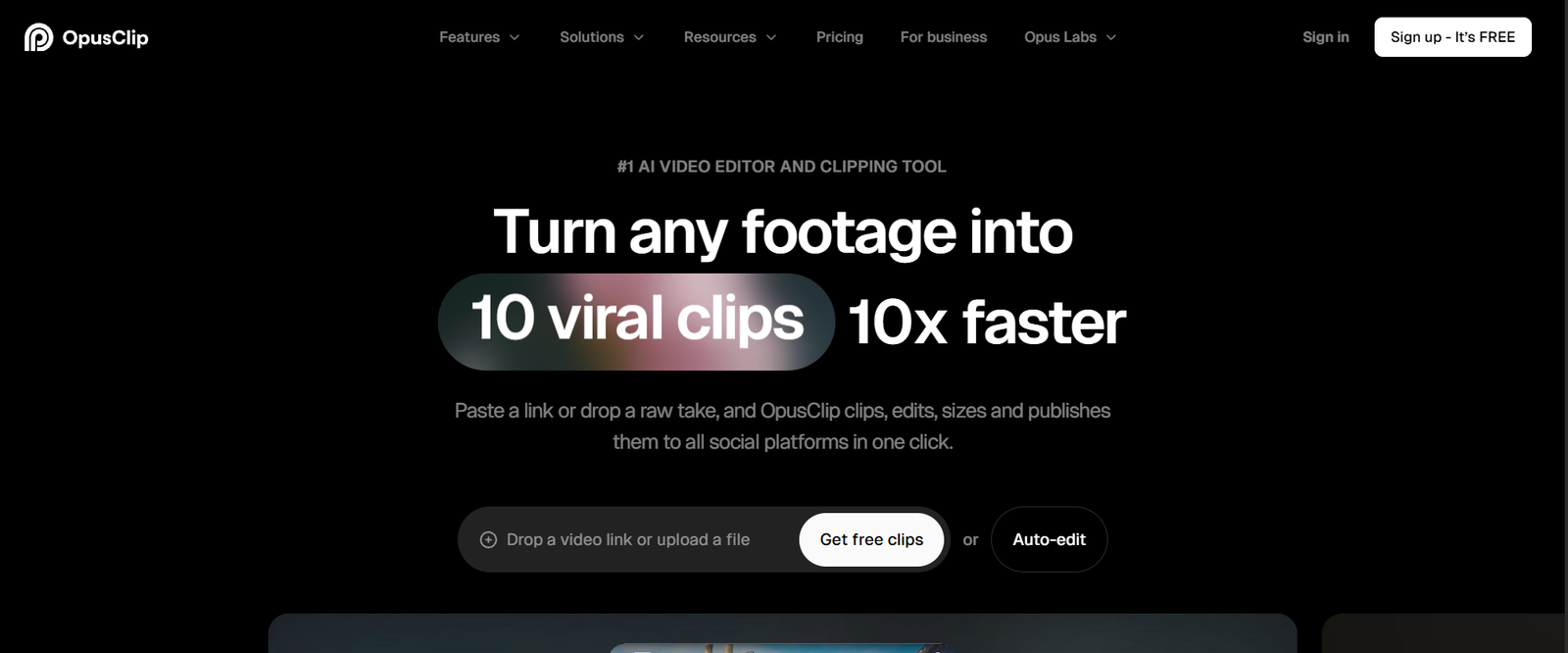
The video video editing and video repurposing software OpusClip uses AI to help individuals edit longer videos into shorter clips to be shared on social media platforms like LinkedIn, Instagram Reels, TikTok, and YouTube Shorts. This automates video editing, caption creation, selecting clips, and video reframing, saving time for content creators.
What is OpusClip?
Ideal for content creators, podcasters, marketers, and businesses that deal with video content on a regular basis, Opus Clip is an AI-powered video editing tool.
It offers an AI capability that can analyze the content within uploaded videos or supplied video links and provide shorter video clips of content of interest. It will automatically insert animated captions and re-shoots footage for vertical publishing, create searchable B-roll footage and produce videos for social media.
The newer ClipAnything version breaks away from the conventional podcast clipping tools by analyzing the visual, audio and contextual characteristics of a variety of video types, such as gaming, sporting, interviews and vlogging.
It’s essential to highlight a few features of OpusClip.
- AI Video Clipping: Automatically extracts the best parts of long video clips and turns them into short video clips.
- ClipAnything: Extracts relevant information from a variety of video genres (both visual, audio and contextual).
- AI Virality Score: identifies winning clips and comes up with potential virality.
- AI Animated Captions: Generate animated captioning, emphasize keywords and translate into several languages.
- AI Reframing: Auto-reframes landscape videos to vertical with out losing essential scenes.
- AI B-Roll Generation: Harvests pertinent AI-generated content in the shape of pictures, stock footage, and video components to enhance clips.
- AI Video Editor: Provides and upgrades videos using a time line and text editor.
- Filler and Silence Removal: Removes unnecessary pauses and filler words and extends videos.
- AI Voice-over and Speech Enhancement: Supports high-quality narration and audio quality.
- Social Media Publishing: Allows you to export and schedule content for social networks such as YouTube Shorts, TikTok, Instagram, Facebook, and LinkedIn (as part of the plan).
- Brand Templates: Allows creators to maintain a consistent visual image, colour scheme, font and logo.
How OpusClip Works
- Video/Audio File: Attach a video file or paste a supported YouTube, Vimeo or Google Drive/Zoom file link.
- The platform “reads” the video using AI: It uses AI to capture the interesting content in the dialogue, images, sounds and context of the video.
- Generate short clips: OpusClip identifies the highlights, and automatically creates shorter videos.
- Fine-tune the clips: Fine tune a caption, layout, framing, B-roll and more.
- Export or publish: Export or publish videos to finished productions, or to supported social media platforms.
Use Cases of OpusClip.
🎙️ Podcast Repurposing
Podcasters can create several short clips from an extended interview without having to watch hours of material.
📱 Social Media Content Creation
Creators can generate video verticals from video files to post on TikTok, Instagram Reels, and YouTube Shorts.
🎮 Gaming Highlights
More detailed recordings can be used to extract exciting moments, reactions or moments where gameplay is particularly interesting for game creators.
💼 Business Marketing/Brand Promotion
Webinars, interviews, product demos, and promotional videos can all be broken down into smaller content pieces for businesses to use.
🎓 Educational Content
Teachers can easily convert lectures, tutorials and presentations into short lessons on video to share.
👥 Agency and Team Workflows
Content production at scale can be handled by the marketing team using brand templates, sharing workspaces and publishing tools.
Pricing
OpusClip has a free plan as well as numerous paid plans.
Free – $0/month: 60 credits per month, AI clips, auto-reframing and auto-captioning. There is a maximum limit for clips, and exporters will add a watermark.
Starter – $15/month: 150 credits, watermark-free exports, AI clipping, animated captions, and social publishing.
Standard – $29/month: 300 Credits, Advanced AI Clipping, B-roll, Multiple aspect ratios, Professional Editing Integrations, Team workspace, Social Scheduling.
Business – Custom pricing: Designed for companies requiring custom building and team seats, integration with the business, and dedicated storage space, and support priority.
Discounted rates for Annual Billing. Also, there’s a 7 day FREE trial for new users. Refer to the official OpusClip pricing page for the most up-to-date details.
Advantages of using Opusclip:
The longer videos will be difficult to re-edit with the regular video editors, but with OpusClip, you won’t have to struggle with that task. It automates the process of clipping, captioning, reframing, and editing individual clips to help creators maintain that timeline and don’t spend hours editing a clip. It’s actually beneficial for creators who create long-form content and want to be able to reach a wider audience on other platforms.
But why is OpusClip so special?
- Seamless integration of AI clipping, editing, and captioning, and publishing in a single platform.
- Not just podcasts but a range of video genres are supported.
- Makes use of visual and auditory language to locate interesting moments.
- Automatic refocusing/cropping the subject.
- Supplies integration and team advantages when it comes to larger content workflow.
Who is OpusClip for?
OpusClip can be the perfect solution for YouTubers, podcasters, streamers, social media managers, marketing agencies, educational institutions, and businesses who want to utilize their video assets for social media.
Final Verdict
A handy AI-powered video repurposing tool, OpusClip has made short-form content a breeze to create. Everyone who is a regular content creator will find it helpful as it highlights, capsions, reframes video footage and prepares them for social media. Although the AI-generated clips might require some editing, OpusClip can also be used to divide a single video into different video segments.
Tool support
- Website https://www.opus.pro/
⚡ Alternative Tools
View More Tools
Voicemod –...


ProSetting...

Overwolf –...

Trophi.ai ...

Omnic.AI –...

Mobalytics...

HakkoAI – ...

GameGuide AI

GPT Games AI

Rizz GPT AI

List Your AI Tool and Reach Thousands of AI Enthusiasts
Showcase your AI product to a growing community of developers, creators, and tech-savvy users. Whether it's a productivity tool, image generator, chatbot, or automation tool — gain visibility, feedback, and users by featuring it on our platform.
Submit Your Tool